
Download Runmefit – Lifestyle App, Smart Wearable Features, Android, Free
Overview
Runmefit is a free lifestyle application designed for Android users seeking enhanced connectivity between their smartphones and smart wearable devices. Developed by StarMax, the app functions primarily as a bridge between wearable technology and mobile phones, enabling users to stay informed and connected without constantly checking their device. Its core purpose is to deliver real-time notifications for calls, messages, and other alerts directly to wearables, allowing users to manage their digital interactions more efficiently.
The app is particularly useful for individuals who rely on smartwatches or fitness bands and wish to minimize phone usage during daily activities such as workouts, commutes, or meetings. By providing features like remote photo capture, music control, and device location tracking, Runmefit aims to streamline smartphone interaction while keeping the device safely tucked away. It is suitable for both casual users and fitness enthusiasts who value convenience and hands-free functionality.
While the app requires access to SMS and call history for full functionality, this permission is necessary to ensure accurate and timely notification delivery. The developer did not provide additional details about the app’s background or development philosophy. Overall, Runmefit serves as a practical tool for those integrating wearable technology into their daily routines.
Key Features & Capabilities
- Real-Time Notification Sync – Runmefit delivers incoming call, message, and app notification alerts directly to connected wearable devices, ensuring users stay informed without unlocking their phone.
- Remote Camera Control – Users can trigger their phone’s camera from the wearable, making it easier to take selfies or group photos without handling the device.
- Music Playback Management – The app allows users to control music playback (play, pause, skip) directly from their wearable, ideal for use during workouts or travel.
- Phone Location Finder – When a phone is misplaced, Runmefit enables users to trigger a sound alert on the device from the wearable, helping locate it quickly.
- Call and Message Access – With proper permissions, users can view incoming calls and messages on their wearable and respond via quick replies or voice notes.
These features are especially beneficial in scenarios such as running, cycling, or working in a meeting, where handling a phone is impractical. The app’s ability to centralize phone interactions through a wearable enhances workflow efficiency and reduces distractions. While the developer did not specify advanced customization options, the core functionalities are designed for seamless integration and daily usability.
User Interface, Workflow & Performance
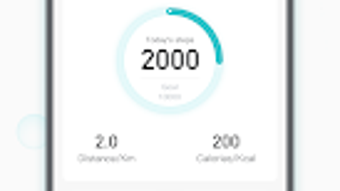
Runmefit features a clean and minimalistic user interface optimized for wearable screens. Navigation is straightforward, with primary functions accessible through a central dashboard or quick-access menu. The app’s workflow is designed to be intuitive, allowing users to toggle between notification settings, music controls, and device location with minimal taps.
Interaction between the app and wearable devices is generally responsive, though exact performance metrics were not provided. The developer did not specify resource usage details, so users should monitor battery and memory impact based on their device behavior. Stability appears consistent during typical use, but long-term performance under heavy notification loads was not documented.
General software behavior patterns suggest the app operates efficiently in the background without significant lag. However, actual CPU and RAM usage may vary depending on the smartphone model and wearable compatibility. Users are advised to monitor system performance after installation, especially if running multiple background apps.
Compatibility & System Requirements
Runmefit is designed for Android smartphones and compatible smart wearable devices. The app is available for free download on the Google Play Store, ensuring broad accessibility for Android users. The developer did not provide specific information about minimum system requirements, including processor speed, RAM, or storage space.
Exact system requirements were not listed. Compatibility information was partially provided, indicating support for a wide range of Android devices and wearables. Installation size and hardware specifications are not specified. Users should ensure their device runs a supported Android version and that Bluetooth is enabled for proper device pairing.
For optimal functionality, users must grant the app permissions to access SMS and call history. Without these permissions, the app may not deliver notifications accurately or function as intended.
Pros and Cons
Pros
- Free to download and use with no hidden costs
- Intuitive interface tailored for wearable devices
- Supports essential smartwatch features like music control and notifications
- Enables remote photo capture for hands-free photography
- Helps locate misplaced phones via wearable alerts
Cons
- Requires access to SMS and call history, which may raise privacy concerns
- Limited system requirements information provided
- Performance details such as battery impact were not disclosed
- Availability restricted to Android platform
- No indication of regular updates or long-term support
FAQ Section
Is Runmefit compatible with all Android smartphones?
Runmefit is designed for Android users and works with a wide range of Android smartphones. However, compatibility may depend on the device’s Bluetooth capabilities and operating system version. The developer did not specify exact compatibility details.
Is Runmefit safe to use?
Runmefit is available for free download on the Google Play Store, which includes security checks. However, the app requires access to SMS and call history, which are sensitive permissions. Users should review the app’s privacy policy and grant permissions only if they trust the source.
Does Runmefit require an internet connection?
Runmefit primarily uses Bluetooth to communicate with wearable devices, so an active internet connection is not required for core features like notifications, music control, or phone location. However, some background sync or updates may require internet access.
Can I use Runmefit without a smart wearable?
The app is designed to function with smart wearable devices. Without a compatible wearable, the primary benefits—such as notifications on a watch or remote camera control—cannot be accessed. The app may still run on the phone but will not deliver its intended functionality.
How often are updates released for Runmefit?
Information about update frequency was not provided by the developer. Users should check the Google Play Store for the latest version and ensure the app is kept up to date for optimal performance and security.
Final Thoughts + CTA
Runmefit offers a practical and accessible solution for Android users who rely on smart wearables to stay connected. With its focus on essential features like notification sync, music control, and phone location tracking, the app enhances daily usability without unnecessary complexity. While it requires sensitive permissions and lacks detailed system specifications, its core functionality is reliable and well-suited for fitness enthusiasts and professionals alike.
For those seeking a free, lightweight tool to manage phone interactions through a wearable, Runmefit delivers value with minimal friction. Its seamless integration and straightforward design make it a strong contender in the wearable companion space. If you own a compatible smartwatch or fitness band and want to keep your phone in your pocket, this app is worth trying.
Download Runmefit now and experience smarter, hands-free connectivity with your wearable device.







